Practice Companion update: a livelier backyard, a real slide, and a laser pointer chase
 By Eric Liu· Published · Updated
A useful practice tool needs somewhere for earned rewards to go. This week, the Practice Companion backyard became more expressive: cats can use a larger slide, furniture can be arranged more freely, and a laser pointer turns a few quiet minutes in the yard into a small chase. These are preview-build notes. The associated pull requests have been created and still await the user's review and merge; this is not a production-release announcement.
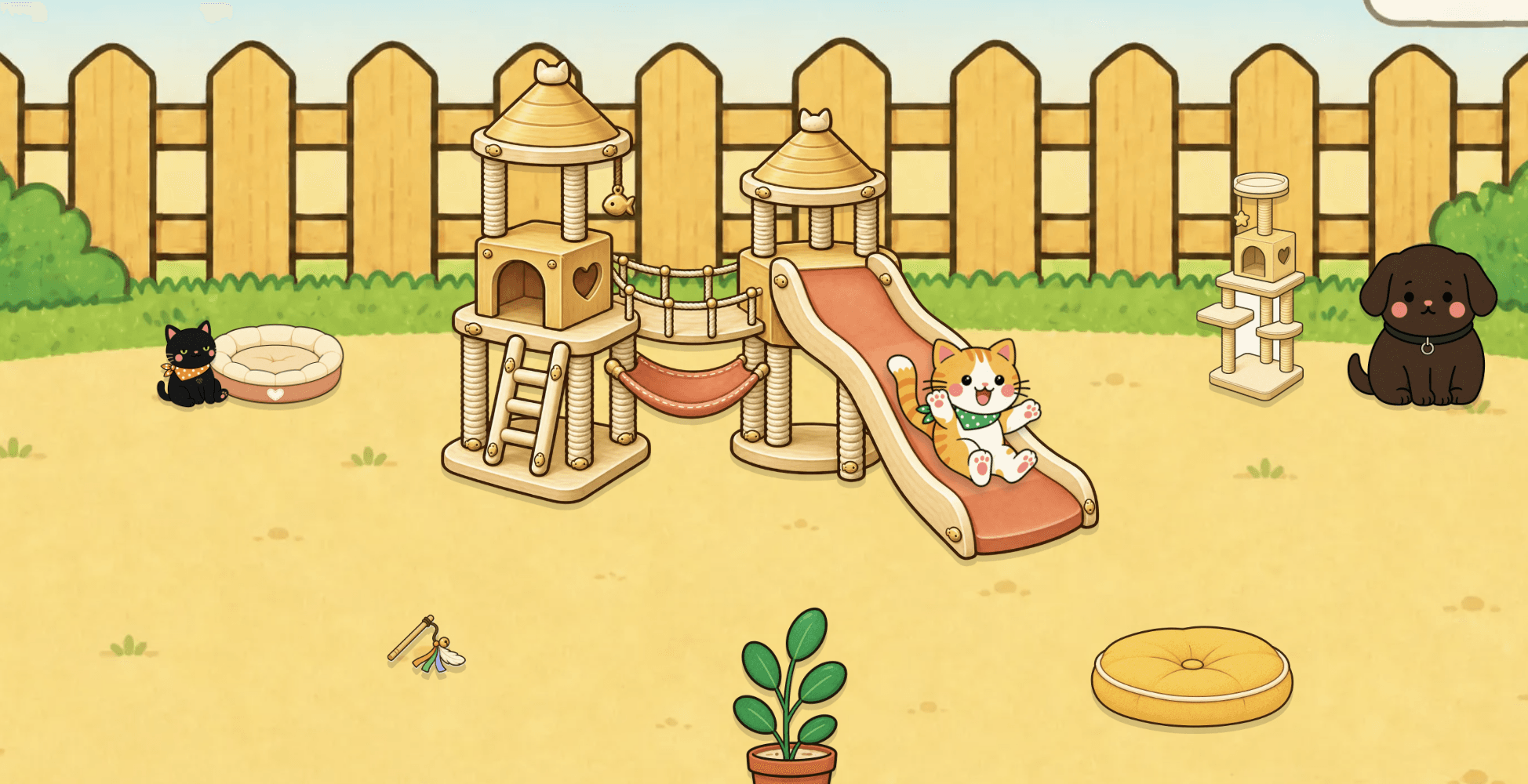
The slide now feels like part of the yard
The premium slide is no longer only a decoration. Cats approach it, take their own sliding pose, and travel through a fuller interaction before returning to the yard. Animal movement and depth sorting were refined at the same time, so a chasing or sliding cat stays in the right visual layer instead of cutting awkwardly in front of or behind nearby objects.
- A larger, interactive slide with animal-specific sliding poses
- Smoother movement and front-to-back depth handling for yard animals
- Free placement for every backyard item except the slide, whose interaction path stays anchored
A laser pointer joins the practice economy
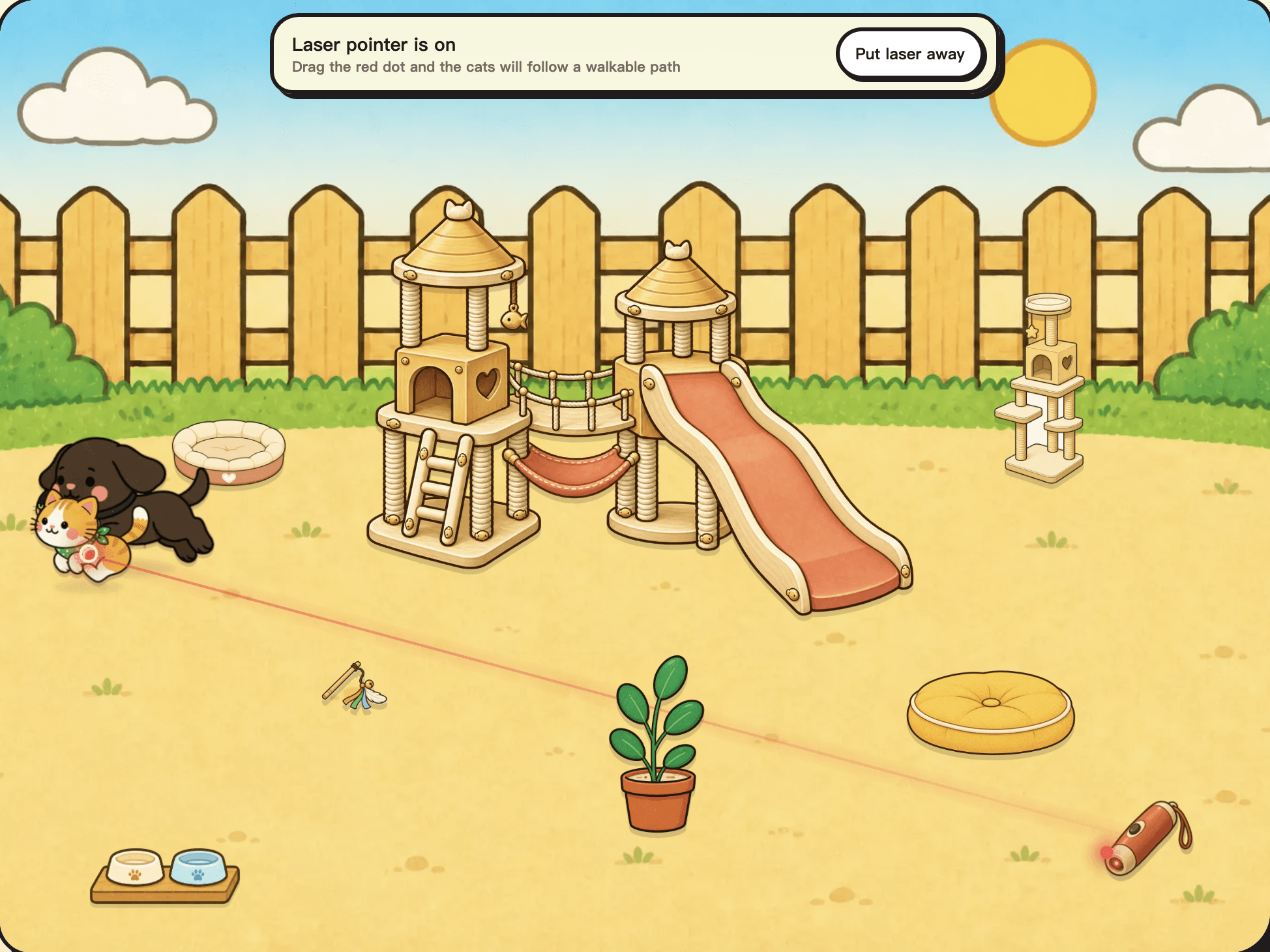
The laser pointer is designed as a reward inside the same earn-and-spend loop as the rest of the yard. It can be identified in the shop, tried before purchase, bought with dried fish, found again in the backpack, and used in the backyard. When the dot moves, cats follow it with a chase animation; depth order is preserved as they cross the scene. Labels, keyboard-friendly controls, reduced-motion behavior, and status announcements make the interaction understandable beyond a purely visual cue.
- Shop purchase, backpack access, and an in-yard chase interaction
- A short trial flow so a student can understand the toy before spending fish
- Visible shop markers for interactive items, plus animation and accessibility support
What students told us — and what that does not prove
The encouraging part came from lessons, not an analytics dashboard. Five students independently asked when the next update would arrive because they had practiced enough to save many dried fish and had little left to spend them on. One adult student who had previously practiced infrequently used the Companion more actively for two weeks and finished a Schubert waltz. Those are specific student reports, not a controlled study or a measured causal effect. They do, however, suggest that a gentle reward loop can make the next practice session feel worth starting.
- Five students asked for the update after accumulating dried fish they could not yet use
- One adult student finished a Schubert waltz after two weeks of more active Companion use
- These observations are qualitative feedback; no additional student counts or outcome claims are inferred
Preview status
The slide, placement, and laser-pointer work is documented here from local preview builds. The relevant pull requests have been created, but the user still needs to review and merge them. Until that happens and a separate release decision is made, none of these notes should be read as a claim that the update is live.
Continue reading
Try a free lesson
Book a free trial lesson with the studio — no credit card required.
No credit card. Same-day reply on most inquiries.